Quotes and estimates for contractors
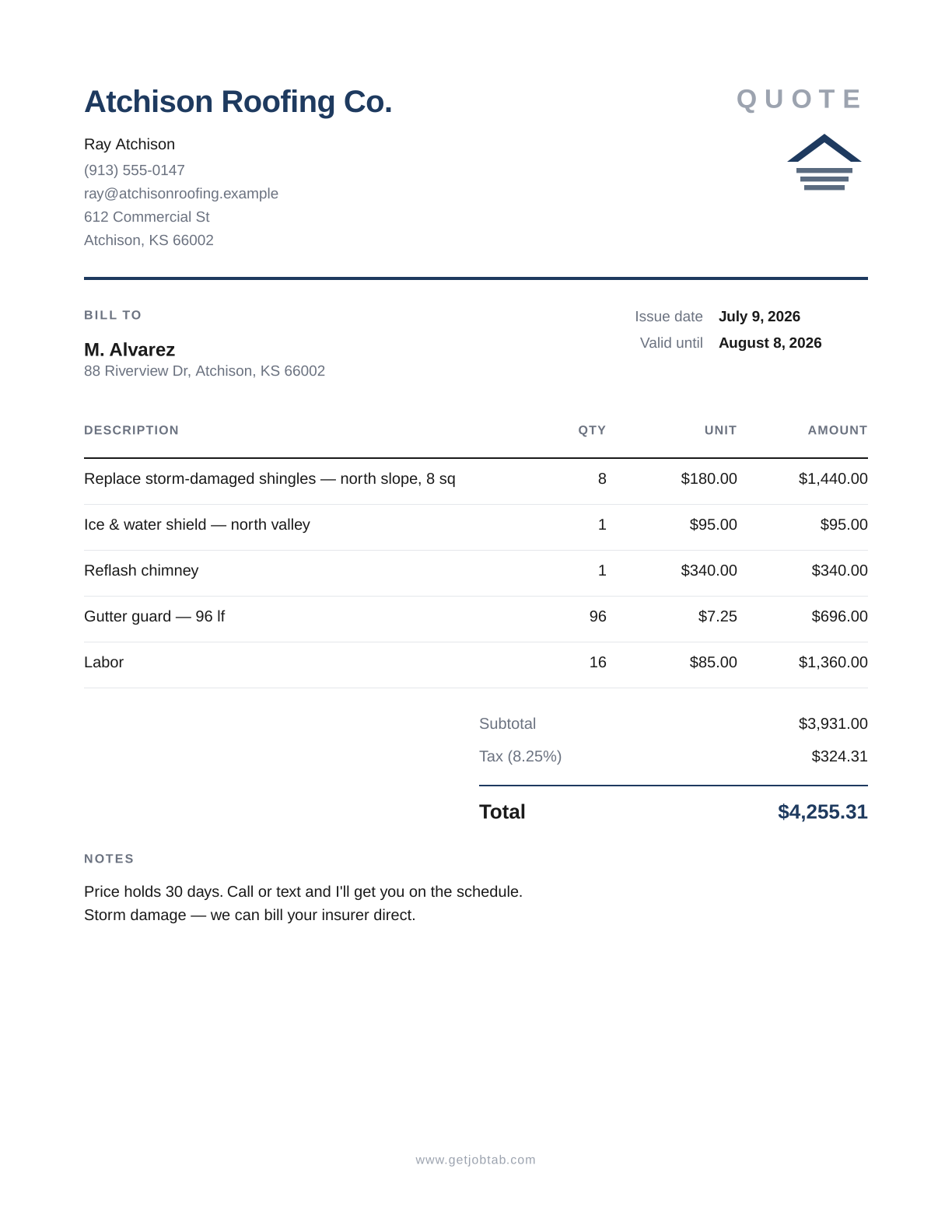
Call it a quote or an estimate; in Jobtab it comes out of the same engine as the invoice. Same look, same line items, with a valid-until date where the invoice has a due date. Write it once, and when the customer says yes it turns into the invoice without retyping a line.
Writing the quote
- Pull lines from your price book. Save “Tear-off, per square” or “Service call” once, and the description and price fill in every time after.
- Start one for any client, or straight from a job you already have.
- Tax, a discount and your logo work exactly as they do on an invoice.
- No payment block and no QR. A quote isn't a bill, so it doesn't ask to be paid.
Your customer answers from a link
Jobtab emails the quote with a link. Your customer opens it on their phone, with no account and no password to set up, and either types their name to approve it or declines it with an optional note. They can download the PDF from the same page.
The answer shows up on your dashboard. So do quotes nobody has answered yet, so a quote doesn't quietly die in someone's inbox while you wait.
From yes, to the work, to the invoice
An approved quote turns into an invoice with one tap. The invoice is a new document; the quote stays exactly as your customer approved it.
If the work takes a while, start a job from the quote instead, log the hours and materials against it as you go, and invoice from the job when it's done.
Quotes don't count against the free tier
Send as many quotes as you like on any plan. Only invoices count toward the free tier's monthly limit.
What it doesn't do
- No optional line items or packages for the customer to pick between. They approve the quote you wrote, or they decline it.
- Approval is your customer typing their name on the quote. There is no separate e-signature service.
- The link shows that one quote. There is no customer portal with an account and a history.
Free to start. No card. Three invoices a month on the free tier, and every one of them is the same invoice a paying customer sends.